Mobile App

Ten seconds

a patient, on the go

Your rounding list is already on your phone. Tap a patient, tap your codes, submit straight to OHIP — between rooms, not after dinner.

  • 2,000+ Ontario physicians billing
  • Submitting to OHIP since 2016
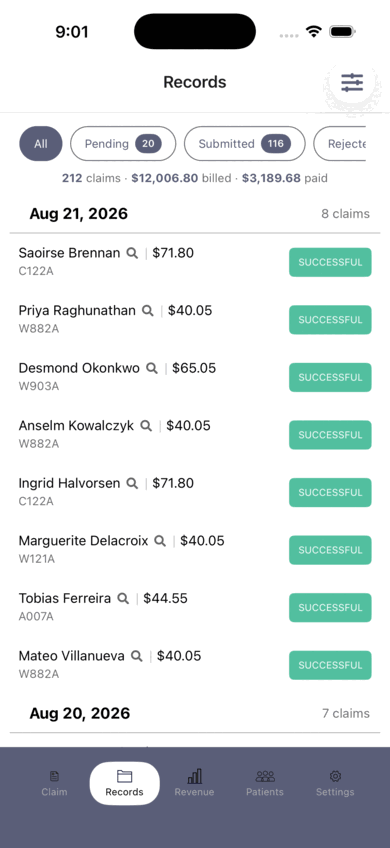
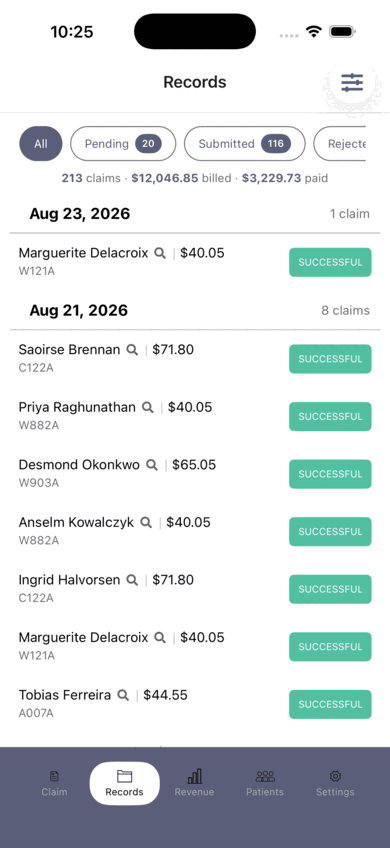
The Records screen in the IntelAGENT app: 212 claims totalling $12,006.80 billed and $2,495.93 paid, grouped by service date with each patient's billing code and status
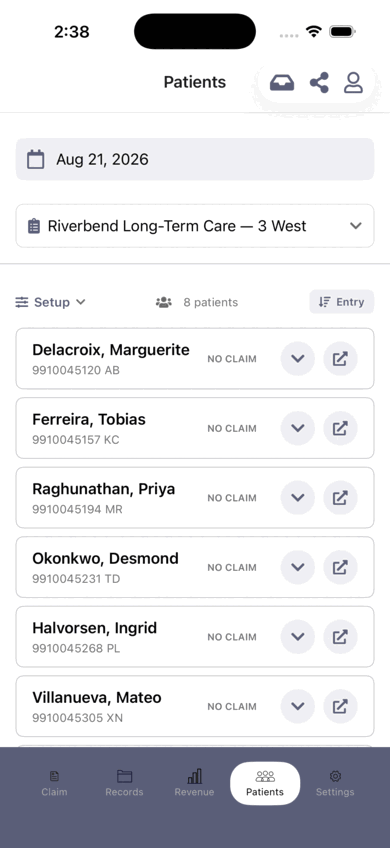
A patient roster in the IntelAGENT app: eight patients on a long-term care ward, each showing its claim status for today
Point-of-Care

Your rounding list, already loaded

Hospital rounds, nursing homes, house calls, ER shifts. Your roster carries over from one day to the next, so the ward you're working is the list on your phone. Tap a name and the claim is already filled in.

  • Carry-overPatients carry over day to day — you never rebuild the list
  • Pre-filledHealth card, date of birth, facility and diagnosis come with the patient
  • No doublesEvery name shows whether it has been claimed today — no duplicates on a shared ward
How it works

One patient. About ten seconds.

Not a claim form. Three taps against a list you already have.

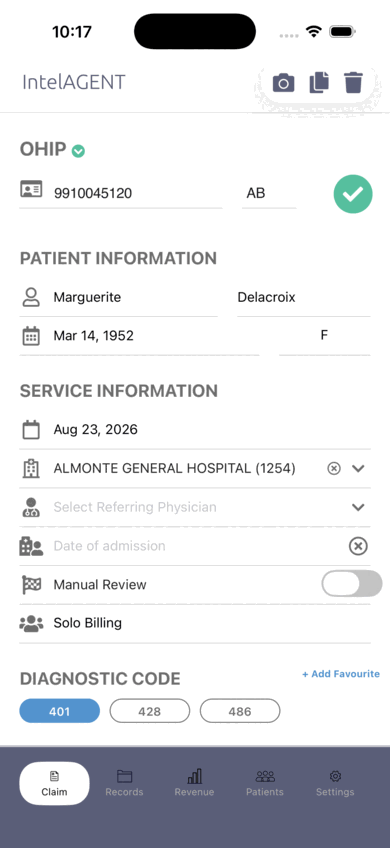
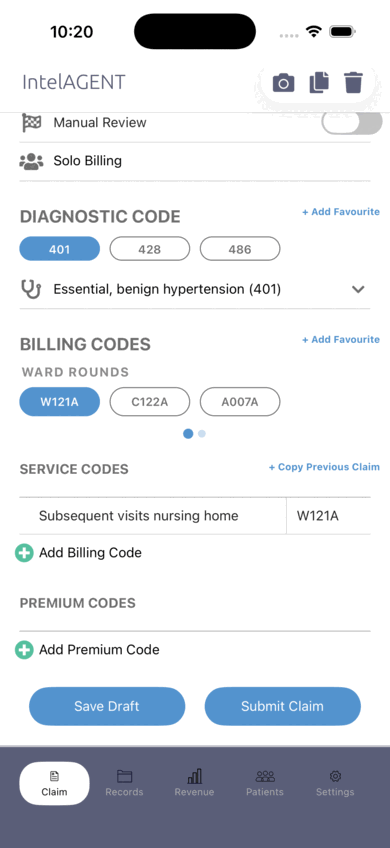
Three real screens from the IntelAGENT iOS app — pick one to see it. Patient details are fictional.

The claim screen with the health card validated against the Ministry — a green tick beside the card number, and the patient details filled in Favourite diagnostic codes and favourite billing codes, one of each tapped and applied to the claim The submitted claim in Records, marked successful
Features

Claims that go in right the first time

Four checks between you and a rejection, every one of them run on the phone before the claim leaves it.

01 / HEALTH CARD

The card is checked, not assumed

Every card is checked against the Ministry as you enter it — number, version code and eligibility. A card that would have been rejected fails here, while the patient is still in front of you.

02 / BILLING RULES

Every code checked against the rules that reject it

Nearly 200 billing rules run over the codes you have picked — limits, required diagnoses, codes that can't be billed together — and tell you before you submit, not six weeks later.

03 / FAVOURITES & SUGGESTIONS

The code you always forget

Your favourites and your last claim both sit one tap from a new one, and the app suggests the add-ons that belong with what you have billed — so the premium you keep meaning to add doesn't get left off again.

04 / REFERRING PHYSICIANS

The referring number is already right

Search a name and get the billing number from a checked list of Ontario physicians, rather than copying six digits off a consult letter and hoping.

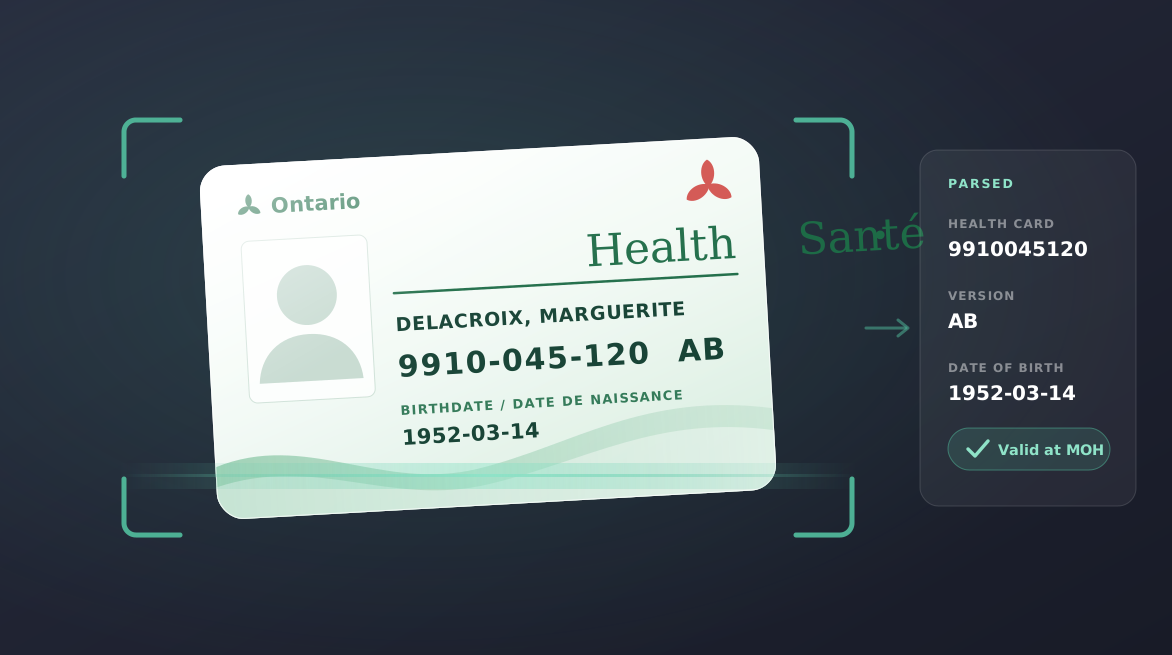
A health card held in the app's camera viewfinder, with the card number, version code and date of birth parsed out beside it and confirmed valid with the Ministry
Health Card Scanner

Scan health cards instantly

Point the camera at an Ontario health card and the number, version code and patient details fill themselves in. For a patient who isn't on a roster yet, this is the whole of data entry.

  • CaptureNumber, version code and date of birth in one tap
  • CheckValidated against the Ministry before you bill
  • A whole listScan a stack of cards in one go — each one validated as it lands
  • Then decideSave them as patients to bill later, or drop the batch straight into a roster
Revenue Tracking

Watch the month add up

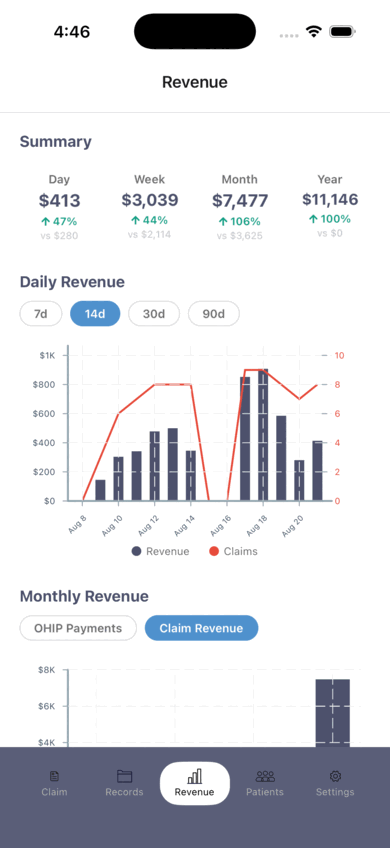
Every claim you submit moves the number that day. Day, week, month and year, each against the same period before it, over a chart of what you billed and how many claims it took — so you know where you stand without waiting on a remittance advice.

  • ComparisonEvery figure against the same period last time
  • Two axesDollars and claim counts on one chart — a slow day and a cheap day look different
  • BasisPaid where OHIP has settled, billed where it hasn't
The Revenue screen in the app: day, week, month and year totals with the change on each, above a daily revenue bar chart with a claim-count line over the last fourteen days, and monthly claim revenue below
Get Started

Leave the hospital with the billing done

Download the IntelAGENT mobile app and start your free trial today.

Or explore the Web Portal for desktop billing.